05
Mar 13

My favorite randomization device

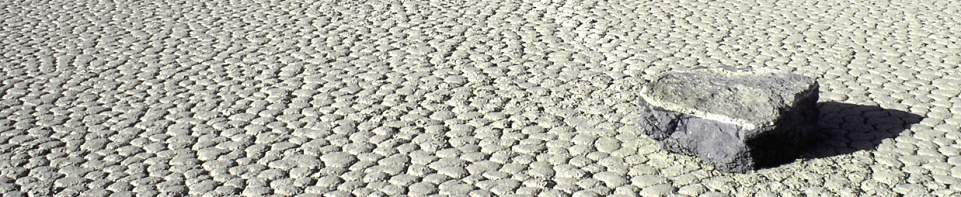
My recent look at JavaScript as a contender for statistical modeling got me thinking about the different methods used to create random variates. All computers algorithms create Type 1 randomness, which is to say, completely deterministic once you either figure out the underlying algorithm or once you see every number in the algorithm’s period. Jumping outside of software to the hard world around us, it seems possible to create Type 2 or even Type 3 randomness, at least from perspective of an observer who can’t base their predictions on real-time analysis of the generating mechanism (ie, they can’t watch it tick).

My favorite example of a real-world solution to randomizing is shown in the video at top. More details about the construction of the device are here.

What’s your favorite (hardware or virtual) randomization device?


28
Feb 13

Statistical computation in JavaScript — am I nuts?

Over the past couple weeks, I’ve been considering alternatives to R. I’d heard Python was much faster, so I translated a piece of R code with several nested loops into Python (it ran an order of magnitude faster). To find out more about Mathematica 9, I had an extended conversation with some representatives from Wolfram Research (Mathematica can run R code, I’ll post a detailed review soon). And I’ve been experimenting with JavaScript and HTML5′s “canvas” feature.

JavaScript may seem like an unlikely competitor for R, and in may ways it is. It has no repository of statistical analysis packages, doesn’t support vectorization, and requires the additional layer of a web browser to run. This last drawback, though, could be it’s killer feature. Once a piece of code is written in JavaScript, it can be instantly shared with anyone in the world directly on a web page. No additional software needed to install, no images to upload separately. And unlike Adobe’s (very slowly dying) Flash, the output renders perfectly on your smartphone. R has dozens of packages and hundreds of options for charts, but the interactivity of these is highly limited. JavaScript has fewer charting libraries, but it does have some which produce nice output.

Nice output? What matters is the content; the rest is just window dressing, right? Not so fast. Visually pleasing, interactive information display is more than window dressing, and it’s more in demand than ever. As statisticians have stepped up their game, consumers of data analysis have come to expect more from their graphics. In my experience, users spend more time looking at graphs that are pleasing, and get more out of charts with (useful) interactive elements. Beyond that, there’s a whole world of simulations which only provide insight if they are visual and interactive.

Pretty legs, but can she type?
Alright, so there are some advantages to using JavaScript when it comes to creating and sharing output, but what about speed? The last time I used JavaScript for a computationally intensive project, I was frustrated by its slow speed and browser (usually IE!) lockups. I’d heard, though, that improvements had been made, that a new “V8″ engine made quick work of even the nastiest js code. Could it be true?

If there’s one thing I rely on R for, it’s creating random variables. To see if JavaScript could keep up on R’s home court, I ran the following code in R:

start = proc.time()[3]
x = rnorm(10^7,0,1)
end = proc.time()[3]
cat(start-end)

Time needed to create 10 million standard Normal variates in R? About half-a-second on my desktop computer. JavaScript has no native function to generate Normals, and while I know very little about how these are created in R, it seemed like cheating to use a simple inverse CDF method (I’ve heard bad things about these, especially when it comes to tails, can anyone confirm or deny?). After some googling, I found this function by Yu-Jie Lin for generating JS Normals via a “polar” method:

function normal_random(mean, variance) {
  if (mean == undefined)
    mean = 0.0;
  if (variance == undefined)
    variance = 1.0;
  var V1, V2, S;
  do {
    var U1 = Math.random();
    var U2 = Math.random();
    V1 = 2 * U1 - 1;
    V2 = 2 * U2 - 1;
    S = V1 * V1 + V2 * V2;
  } while (S > 1);
 
  X = Math.sqrt(-2 * Math.log(S) / S) * V1;
//  Y = Math.sqrt(-2 * Math.log(S) / S) * V2;
  X = mean + Math.sqrt(variance) * X;
//  Y = mean + Math.sqrt(variance) * Y ;
  return X;
  }

So how long did it take Yu-Jie’s function to run 10 million times and store the results into an array? In Chrome, it took about half-a-second, same as in R (in Firefox it took about 3 times as long). Got that? No speed difference between R and JS running in Chrome. For loops, JS seems blazing fast (compared to R). Take another look at the demo simulation I created. Each iteration of the code requires on the order of N-squared operations, and the entire display area is re-rendered from scratch. Try adding new balls using the “+” button and see if your browser keeps up.

It’s only a flesh wound!
So have I found the Holy Grail of computer languages for statistical computation? That’s much too strong a statement, especially given the crude state of JS libraries for even basic scientific needs like matrix operations. For now, R is safe. In the long term, though, I suspect the pressures to create easily shared, interactive interfaces, combined with improvements in speed, will push more people to JS/HTML5. Bridges like The Omega Project (has anyone used this?) might speed up the outflow, until people pour out of R and into JavaScript like blood from a butchered knight.


22
Feb 13

What’s my daughter listening to? HTML chart gen in R


My daughter, who turns 10 in April, has discovered pop music. She’s been listing to Virgin Radio 99.9, one of our local stations. Virgin provides an online playlist that goes back four days, so I scraped the data and brought it into R. The chart shown at top shows all of the songs played from February 17th through the 20th, listed by frequency.

Broadly speaking, the data follows a power law. But only broadly speaking. Instead of a smoothly shaped curve from the single most frequently played song to a tail of single plays, Virgin Toronto has four songs that all share the heaviest level of rotation, then a drop-off of almost 50% to the next level. There was one big surprise in the data, at least for me. Listening to the station, it seems like they are playing the same 10 songs over and over. This impression is true to some extent, as the top 10 songs represented about one-third of all plays. But in just four days there were 57 single plays, and 44 songs played just twice. In all, 173 unique songs were played, with a much longer tail than I had expected.

That said, it would be interesting to compare Virgin’s playlist distribution with the widely eclectic (at least to my ears) Radio Paradise. Anyone want to give it a try? Here’s my code after I scraped the four pages of data by hand and put them into a text file.

To get the link to the Youtube videos, I used Google’s “I feel lucky” option paired with a search for the song name. If you get an unexpected result, take it up with Google. In the past I’ve used R’s “brew” library to generate HTML code from a template, this time I just hand coded the snippets. To make the red bars I found out the maximum number of plays for any song, then stretched each bar relative to this maximum.


19
Feb 13

Google places itself at the center of cyberspace

Above is a screen capture of the “Google Doodle” for today. It honors the 540th birthday of Nicolaus Copernicus, proponent of the heliocentric model of the universe. Note that Google is placing itself in the center of the universe, a decision I suspect was made very deliberately for its symbolism.

Astronomy was the first scientific discipline to make extensive use of data. Many of the early advances in data analysis and statistics (like the Gaussian Distribution) came about through detailed observations of heavenly bodies and the vast quantities of (imprecise) data this generated. Astronomy may have even given us the first murder over scientific data. With its Doodle, Google is saying that it’s become the center of the data universe, the dominant lens through which we view the world.

A bold claim! Is it true? Looking closely at all the ways in which Google has integrated itself into our online and offline lives, and it starts to look less like presumption on their part, and more like a simple acknowledgement of present reality.

How does Google guide and track and thee? Let me count the ways:

  1. With search, of course. This includes every character you type into the search box or toolbar, since these are sent to Google for auto-complete and search suggestions. If you’ve ever accidentally pasted a password or a whole draft of your book in progress into the search box, Google has a copy of this stored in their vast data center.
  2. Through your email, if you use Gmail, but also if you email other people who use Gmail.
  3. Every Youtube video you watch.
  4. Your location information, if you use Google Maps. Also, if you are like most people, Google knows the house (or at least the neighborhood) you grew up in, since this is the first place you zoomed-in on that wasn’t your current location. Even if you don’t visit the Maps website or app directly, there’s a good chance a Google Map is embedded in the website of your real estate agent or the restaurant you just checked out.
  5. Through tracking for Analytics. This is a little javascript nugget webmasters put on their pages to get information about their visitors. Millions of websites use Google Analytics, including this one.
  6. Through Adsense, those Google-style ads you see on the side of pages which aren’t Google itself. Adsense is by far the most popular “monetizing” solution for webmasters.
  7. If you use voice dictation on an Android phone, your sounds get sent to Google for conversion into words. Your Android phone is also likely to integrate your calender with Google’s online calender app, sending data about your daily schedule back and forth.
  8. If you use Chrome, then all of the URLs you visit are sent to Google as you type, for auto-complete. Many people use the search box itself to type in URLs, giving this info to Google.
  9. Google has a dozen other products that most of us use at least occasionally, from News to Blogsearch to Translate to Google Docs to Google+ social networking.

Is there any way to escape the pull of Google’s gravity? There are some things you can do to limit the amount of tracking Google does, like clear your cookies on a regular basis, or block Google Ads and Analytics by using your computer’s “hosts” file, but the harder you work to keep your personal data off Google’s servers, the more you end up pushed to the fringes of cyberspace and in some ways from modern life itself: ignoring emails from friends on Gmail, unexposed to the viral video everyone else in your office is talking about, adrift without a good virtual map of the human universe.

Do we welcome our new Sun King?


14
Feb 13

Population simulation leads to Valentine’s Day a[R]t

Working on a quick-and-dirty simulation of people wandering around until they find neighbors, then settling down. After playing with the coloring a bit I arrived at the above image, which I quite like. Code below:

# Code by Matt Asher for statisticsblog.com
# Feel free to modify and redistribute, but please keep this notice 
 
maxSettlers = 150000
 
# Size of the area
areaW = 300
areaH = 300
 
# How many small movements will they make to find a neighbor
maxSteps = 200
 
# Homesteaders, they don't care about finding a neighbor
numbHomesteaders = 10
 
areaMatrix = matrix(0, nrow=areaW, ncol=areaH)
 
# For the walk part
adjacents = array(c(1,0,1,1,0,1,-1,1,-1,0,-1,-1,0,-1,1,-1), dim=c(2,8))
 
# Is an adjacent cell occupied?
hasNeighbor <- function(m,n,theMatrix) {
	toReturn = FALSE
	for(k in 1:8) {
		yCheck = m + adjacents[,k][1]
		xCheck = n + adjacents[,k][2]
		if( !((xCheck > areaW) | (xCheck < 1) | (yCheck > areaH) | (yCheck < 1)) ) {
			if(theMatrix[yCheck,xCheck]>0) {
				toReturn = TRUE
			}
		}
	}
	return(toReturn)
}
 
 
# Main loop
for(i in 1:maxSettlers) {
	steps = 1
	xPos = sample(1:areaW, 1)
	yPos = sample(1:areaH, 1)
 
	if(i <= numbHomesteaders) {
		# Seed it with homesteaders
		areaMatrix[xPos,yPos] = 1
	} else {
		if(areaMatrix[xPos,yPos]==0 & hasNeighbor(xPos,yPos,areaMatrix)) {
			areaMatrix[xPos,yPos] = 1
		} else {
			spotFound = FALSE
			outOfBounds = FALSE
 
			while(!spotFound & !outOfBounds & (steps<maxSteps)) {
 
				# Look for a new location in one of adjacent 9 cells, while still in area
				steps = steps + 1
				movement = adjacents[,sample(1:8,1)]
				xPos = xPos + movement[1]
				yPos = yPos + movement[2]
 
				if( (xPos > areaW) | (xPos < 1) | (yPos > areaH) | (yPos < 1)) {
					outOfBounds = TRUE
				} else if(hasNeighbor(xPos,yPos,areaMatrix) ) {
					areaMatrix[xPos,yPos] = steps
					spotFound = TRUE
				}
			}
		}
 
	}
 
}
 
image(areaMatrix, col=rev(rgb(seq(0.01,1,0.01),seq(0.01,1,0.01),seq(0.01,1,0.01))))
 
# I think this version looks nicer!
# areaMatrix[areaMatrix !=0] = 1
# image(areaMatrix, col=rev(rgb(.5,0,seq(0.2,1,0.2))))